
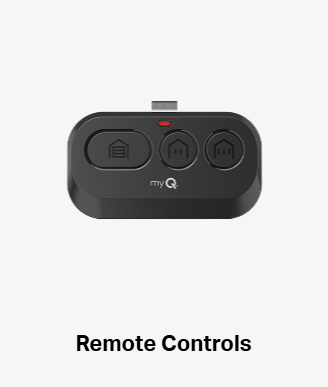
Battery and signal
Use the specified replacement battery and polarity for the remote. Keep small batteries away from children. DASMA identifies battery problems, damage and radio interference as possible causes of poor response or range. [1]

Garage Door Knowledge Center
Separate a control problem from a door problem, find the right instructions, and compare repair options.
Published by Trinitron Garage Doors · Meet owner Wesley Zietz
Manufacturer references and photo credits are listed in this guide.
A homeowner’s guide
Start with which controls worked and which did not. A single remote failure is a different symptom from a silent wall button or an opener that runs while the door stays still.
You can describe the issue before deciding on a replacement motor. Keep the opener and accessory model numbers together if they are already available.
If the door strains, moves unevenly or shows spring or cable damage, stop using the controls. Do not open the motor housing or touch wiring. Leave a damaged door in place.
Recognize the situation
Report your previous observations rather than repeatedly operating a struggling door.
A remote battery, damage or programming may need attention. Tell us whether other controls worked normally.
Note whether the issue began after changing a light bulb or adding electronics near the garage.
Describe a click, hum or running sound. The control signal and the mechanical movement are separate parts of the system.
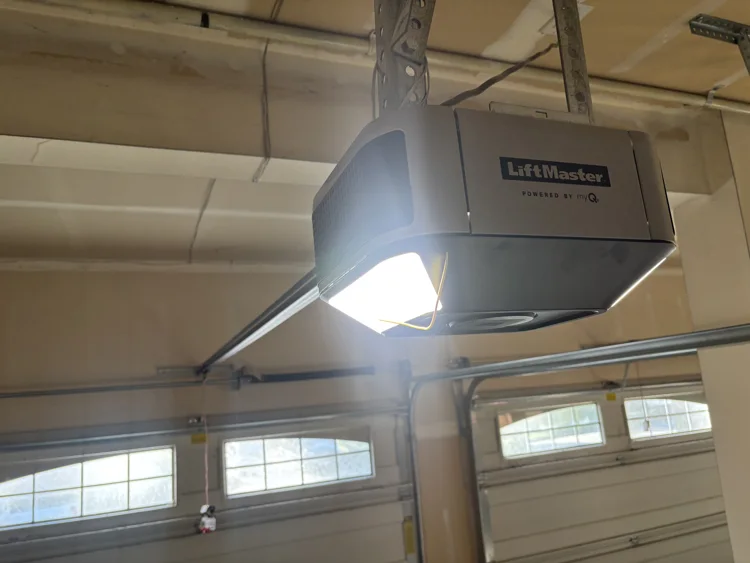
A closer look
The spring system counterbalances the door. If the door is unusually heavy or struggling, replacing the opener with a more powerful one does not resolve the underlying condition. [3]
No model or replacement recommendation is implied by the example photograph.
Understand the system
Low-risk checks can be useful when the door itself operates normally and the manufacturer’s instructions are available.
Use the specified replacement battery and polarity for the remote. Keep small batteries away from children. DASMA identifies battery problems, damage and radio interference as possible causes of poor response or range. [1]
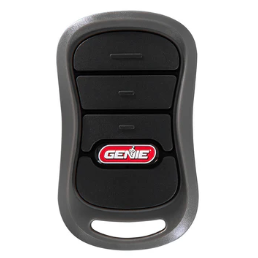
Use the instructions for both the opener and the accessory. Genie’s programming library separates current and older remotes and keypads by model. Avoid a generic reset sequence that may erase working controls. [2]
Make an informed choice
If replacement is appropriate, write down the exact model and the features included: drive type, rail length, remotes, keypad, lighting, battery backup and any connected-service requirements. A feature label alone does not define the whole installation.
Discuss the existing door, its height, available space and mounting arrangement. Ask whether rail changes, reinforcement, removal of the old unit, accessory setup and final safety checks are part of the quote.
From information to action
Identify the failed control, any range change and the door’s actual response.
Ask which part has failed and what the proposed option includes.
Confirm the selected accessories, explain normal use, and complete the required operation checks.
Use the Repair Wizard for the currently listed services, review your quote, and continue to booking. If the cause is uncertain, request an estimate from Wesley.
From our customer stories
These installations connect opener choice to the condition of the door hardware and the space available in the garage.


The project notes record improved movement. Sumit’s review highlights the upfront pricing, attention to detail and clear explanation.
The customer’s review emphasizes that Wesley assessed the space and explained the proposed system before the installation.
Summaries use the work descriptions and customer feedback on the linked project pages. Each job has its own scope; your repair and price may differ.
Quick answers
Not necessarily. Battery, damage, programming and interference can affect a transmitter while the rest of the system remains usable. [1]
Yes. Genie lists all remotes and wireless devices stopping together as a possible circuit-board problem. Batteries, programming, lock settings and radio interference can also affect remote operation, so the symptom alone is not a diagnosis. A technician can check the receiver and controls before recommending repair or replacement. [4]
Notice whether a normal press of the wall button works or whether you must hold it throughout closing. The latter can point to the safety-eye system instead.
Some bulbs can generate radio interference near the receiver. Mention when the bulb changed and consult the opener manufacturer’s approved bulb guidance. [1]
Use the exact model instructions. The linked Genie programming library is a useful starting point for Genie equipment; another brand needs its own instructions. [2]
Avoid a broad reset before identifying the problem. It can create extra setup work, and it does not repair a damaged door or failed component.
Open the Repair Wizard to review the currently listed options. If compatibility or the fault is uncertain, request an estimate before selecting hardware.
Read the source material
These primary references support the technical explanations. Use the instructions for your exact door and opener when a procedure or product requirement depends on the model.
Help from Trinitron Garage Doors
Work with a local, veteran-owned garage door business serving Puget Sound. Review your repair options online or talk them through with Wesley.